De rien

Il y a une sorte de manuel ici : www.emucamp.com/red/SNES/PFX.txt
En anglais mais c'est déjà ça ...
Operations on Pro Fighter X:
Setting up:
Plug the system adapter into the top of the SNES, and plug the PFX into the top of the system adapter. If you're using a SNES instead of a super famicom, you might have to adjust it to get a snug fit, as the american system isn't contoured to support the PFX as properly as it should. Plug the AC adapter into a wall socket. The System functions on the same AC power supply as a Genesis, in case the power supply ever goes bad. The power supply is only for the Disk drive only, as the rest of the system gets its power from the SNES itself.
Using the system:
When you first turn on the system with the PFX properly situated, it will show a spinning fighter logo, then the main screen.
Main screen:
If you put a diskette with a rom on it, and run it, the system will load the game and act as a temporary buffer for the ROM. once the game is running, the only way to return to the main screen is to turn the entire system off. Pressing reset will only reset the current game. If you're playing a game with more than one diskette, when it returns a red screen saying 'File not found' simply eject that disk, and put the appropriate next disk into the system. It will pick up where it left off, and continue loading. Some games may take many disks.
If you find that a certain ROM you've downloaded will not work, it's best to try many roms, and even to dump the cartridge yourself if you can find it. The PFX, I've found, doesn't like some american carts, but will play the roms; and vice versa. It takes experimentation.
(Errors: if you get a CRC error, something in the file was bad; try putting the rom on a new disk. If you get a read error, the disk is bad.)
Pressing select at the main screen brings up the utility menu, where you can save the IC card (the SNES cartridge) onto a disk, or run the IC card (snes cartridge) that is in the top slot. When saving IC cards to disk, multiple disks may be necessary. You may also format the disk from this menu, in convenient 1.6 meg (to hold 3 500K parts, effectively cutting a 3 meg game into 2 diskettes, rather than 3.) or the typical 1.44 meg.
I also believe if you press start at the main menu, it will change the language from/to Chinese/English.
Saving Games:
The PFX seems to be capable of saving only one game at a time, in its internal memory. to this end, if you want to retain a game save, you must save the game in the game itself, then turn off the system, and turn it back on. (the game you saved is still in the system's battery-stored memory.) then you must choose the option to record your save onto a diskette. This saves your game state. Next time you play a game, if you save it, you will erase the previous save stored in the PFX. To keep that new save, without overwriting it with the next game, you must turn on the system again, and save THAT state. When you go back to the original game, simply reload that save onto the system, and you will be able to pick up where you left off.
Gold Finger cheats:
The system has a selection of Goldfinger cheats loaded into it. After you load a rom, it will ask you if you want to use cheats; in this situation, it is comparing the game's name to a list of cheats inside the system. If you are using a clean-cut japanese rom, this will work. However, on most english roms, hacked roms, or trained roms, this is a bad idea. If it asks you to use it, it's best to say no, if you're not sure.
Roms:
Sometimes it is necessary, through the use of SNEStool, UCON and/or SMCtool, to modify the rom from .smc into .fig format, if even so far as to simply modify the headers.

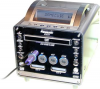

 Il y a une sorte de manuel ici : www.emucamp.com/red/SNES/PFX.txt